
Which chats Text Exporter imports, and from where
Every chat comes in from the app's own export, read on your iPhone. Here is which apps that covers, what each export holds, and which apps it can't cover.
Short answer
Messages (iMessage and SMS) will import through an iOS 26 Shortcut. WhatsApp, Instagram, Messenger, Telegram and LINE will import from the export each app makes itself, including Messenger's download of end-to-end encrypted chats. Apps with no export, such as Signal and Snapchat, are not supported. Each message keeps a label saying where it came from and how exact its time is. Imported records are never changed, and you can import, review and make a preview export for free, with prices shown before you start.
App by app
Every route reads the app's own records, so senders and times are read from the data, not guessed.
| Chat app | How it gets in | Senders and times | Free web tool today |
|---|---|---|---|
| Messages (iMessage and SMS) | ✓An iOS 26 Shortcut reads one conversation | Read from the conversation | Not yet |
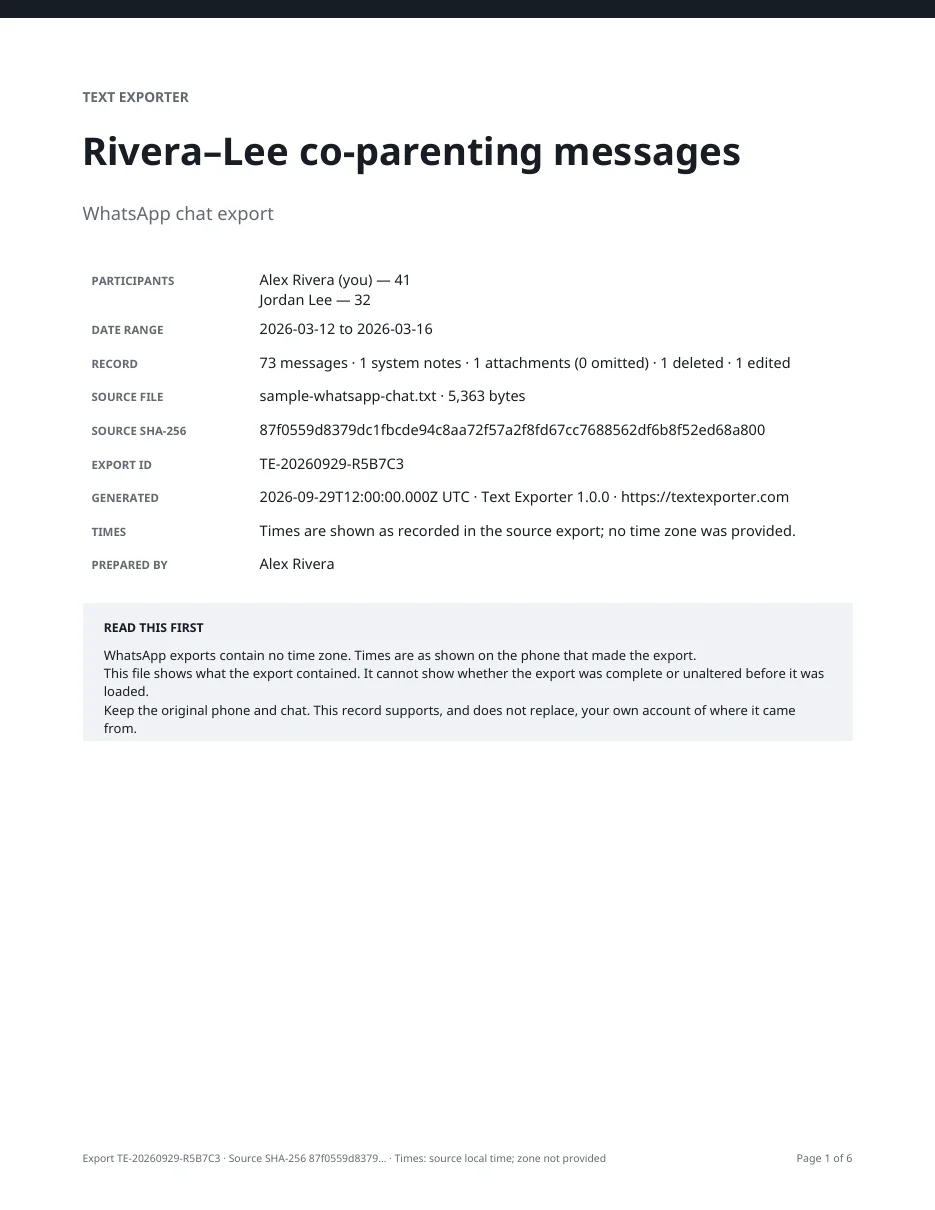
| ✓The .zip or .txt file WhatsApp exports, with or without media | Read from the export file; no time zone in the file | WhatsApp to PDF | |
| Instagram and Messenger | ✓Meta's data download from Accounts Center | Read from the download, in UTC | Instagram & Messenger to PDF |
| Messenger encrypted chats | ✓Messenger's "Download message storage data", made on a computer | Read from the download, in UTC | Instagram & Messenger to PDF |
| Telegram | ✓The JSON chat export from Telegram Desktop, made on a computer | Read from the export | Telegram to PDF |
| LINE | ✓The .txt file from LINE's Export chat history | Read from the file, to the minute | Not yet |
| Signal, Snapchat, WeChat, Viber and others | ✕Not supported: these apps offer no chat export | — | None |
Text Exporter is not released yet; this is what the first version is being built to do. Every file is read on the iPhone, not on a server. Messages import needs iOS 26.
Sources: support.apple.com · faq.whatsapp.com · help.instagram.com · messenger.com · telegram.org · help.line.me
Every time says how exact it is
A time is never filled in or rounded to look tidy. The PDF shows exactly how much the source recorded.
| What the source recorded | Shown in the PDF | Typical source |
|---|---|---|
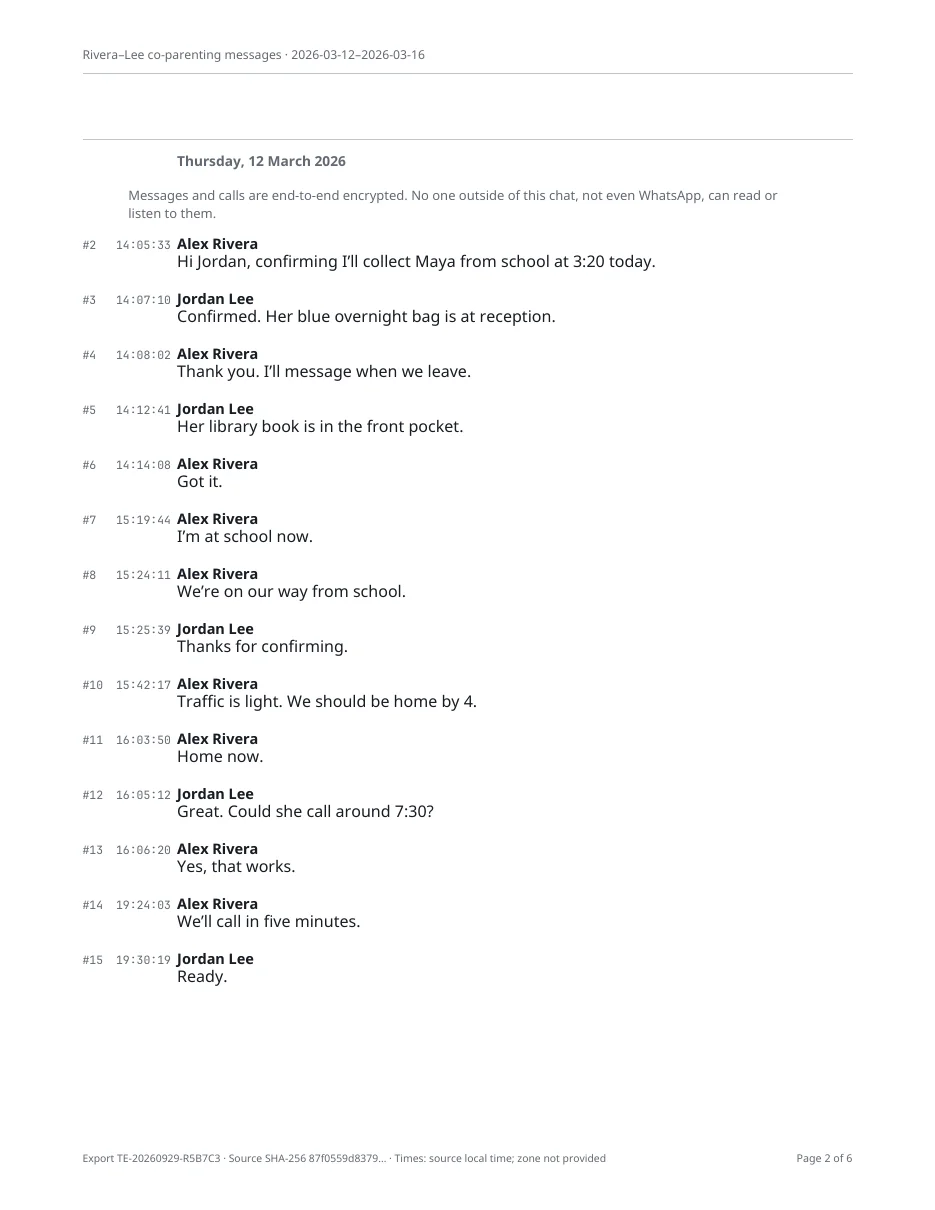
| Hours, minutes and seconds | 14:05:33 | Telegram and Meta exports; WhatsApp, depending on phone settings |
| Hours and minutes | 14:05 | LINE; WhatsApp, depending on phone settings |
Before exporting you confirm which participant is you, so your messages and theirs never swap sides.
Messages from a Shortcut or an app's export are never changed. Names you set, redactions and notes are stored in a separate layer, and every export lists them, so a reader can see what you added and what came from the source.
The Messages Shortcut does not read attachment files, so each photo or file in a Messages import appears in the export as "attachment not included". A WhatsApp chat exported "Without media" lists each photo as omitted. The PDF cover counts attachments and how many were left out.
Import a chat, review every message and make a preview export before you pay anything. Prices are shown before you start, with no surprise charges.
Text Exporter is coming to iPhone
It will import chats from Messages, WhatsApp, Instagram, Messenger, Telegram and LINE on your iPhone and export a timestamped PDF, CSV and TXT, without uploading anything.
- Sender, date and time on every message
- Processed on the device, nothing uploaded
- Free to import, review and preview; prices shown before you start
Questions people ask
Why can't it import Signal, Snapchat or other apps?
iPhone apps cannot read other apps' data. A chat can only come in through something the app itself offers, such as WhatsApp's chat export or Apple's Messages actions in Shortcuts. Signal, Snapchat, WeChat, Viber and similar apps offer no chat export, so Text Exporter can't import them. Our guide to other apps covers what you can still keep yourself.
Why doesn't it read screenshots or screen recordings?
Reading text from pictures of a chat often goes wrong. A message can end up under the wrong person, out of order, or with the wrong time. Many apps that do it also send your screenshots to their own servers to be read. Text Exporter does neither. It only takes chats from each app's own export, or from Apple's Shortcuts for iMessage and SMS, so every message, sender and time comes straight from that app, and nothing leaves your iPhone.
Is anything uploaded?
No. Every export file is read on the iPhone. Nothing leaves the phone unless you share a file.
Why does a WhatsApp export have no time zone?
WhatsApp's export file shows times as the exporting phone displayed them, without a zone. The PDF says so on the cover.
Can WhatsApp block an export?
Yes. When Advanced Chat Privacy is on for a chat, WhatsApp blocks exporting it for everyone in that chat.
Do I need a computer?
Only for two exports that the apps offer on a computer alone, Telegram Desktop's chat export and Messenger's download of encrypted chats. Save the file somewhere your iPhone can open, such as iCloud Drive, then import it.
Related
Sources
Checked on October 4, 2026. Platforms and rules change; if something is out of date, email hello@textexporter.com.
- What's new in Shortcuts 26Apple
- How to export your chat historyWhatsApp
- About advanced chat privacyWhatsApp
- Export chat history (Telegram Desktop)Telegram
- Download a copy of your information on InstagramInstagram
- Download your end-to-end encrypted chatsMessenger
- Export chat historyLINE
- App Review Guidelines (2.5.2, apps stay in their own container)Apple